Issue I encountered today
On a computer I worked today running Windows 7, file extensions aren’t showing. How can I display them?
I remember in Windows 10 or 11, there was a checkbox for ‘File Name Extensions’ in the View tab of the folder, but I can’t find it in Windows 7…
How to Show File Extensions – Windows 7
In this case, you can display file extensions by following these steps:
- Click on the Windows Button.
- Type “Folder Options” in the Search Box
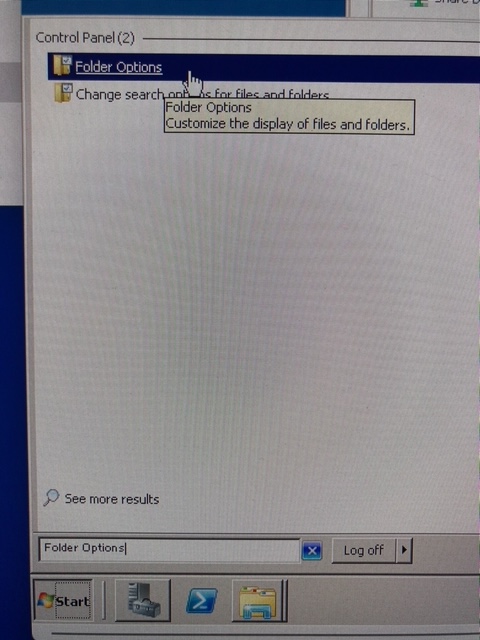
- Click on the “Folder Options” menu in the search result
-> Folder Options Dialog will be shown. - Click on the View tab.
- Uncheck to “Hide extensions for known file types”

- Click on the Apply button.
- Click on the OK button.
 Journey of learning
Leave a comment