I’m going to develop exactly same popup dialog as Microsoft Edge “History” popup.

In the previous post, I introduced how to get a favicon by using Google Favicon Server.
1. How to Get a Favicon with Chrome Extension API
I found another way to retrieve a favicon of a webpage that is using Chrome Extension API the link below right after publishing the post. So, in this post, I will introduce how to get a favicon by using Chrome Extension API.
Chrome Extension API – Fetching favicons
This is the URL to retrieve the favicon of the website:
chrome-extension://EXTENSION_ID/_favicon/?pageUrl=EXAMPLE_URL&size=FAV_SIZEAlso, I would like to think and share the differences between using Chrome Extension API and using Google Favicon Server at the last part of this post.
2. Edit JavaScript to get favicon with Chrome Extension API
This is the complete JavaScript to get web browsing history and show the favicons as a list.
function getFaviconURL(u) {
    const url = new URL(chrome.runtime.getURL('/_favicon/'));
    url.searchParams.set('pageUrl', u);
    url.searchParams.set('size', '16');
    return url.toString();
  }

const historyList = document.getElementById("history-list");

chrome.history.search({ text: '', maxResults: 50 }, (results) => {
    results.forEach(item => {
        const listItem = document.createElement("li");

        //const faviconUrl = `https://www.google.com/s2/favicons?domain=${item.url}`;
        const faviconUrl = getFaviconURL(item.url);

        listItem.innerHTML = `<img src="${faviconUrl}" alt="Favicon">`;

        historyList.appendChild(listItem);
    });
});
- Create a function to get faviconURL. The parameter is a browsing history’s url. The return value is a string of complete url to the favicon image.
- chrome.runtime.getURL(‘/_favicon/’): This is a way of createing a fully qualified URL that is pointing to the
"_favicon/"folder. You don’t need to create the “_favicon/” folder. - url.searchParams.set(‘size’, ’16’);: You can request the size in the “size” parameter.
- I comment outed the way of retrieving the favicon image using Google Favicon Server to be able to switch back to it.
2. Update manifest.json file to get permission to get favicons
You need to request the “favicon” permission in the manifest to get favicon images when you use the Chrome Extension API.
    "permissions": [
        "history",
        "favicon"
    ]
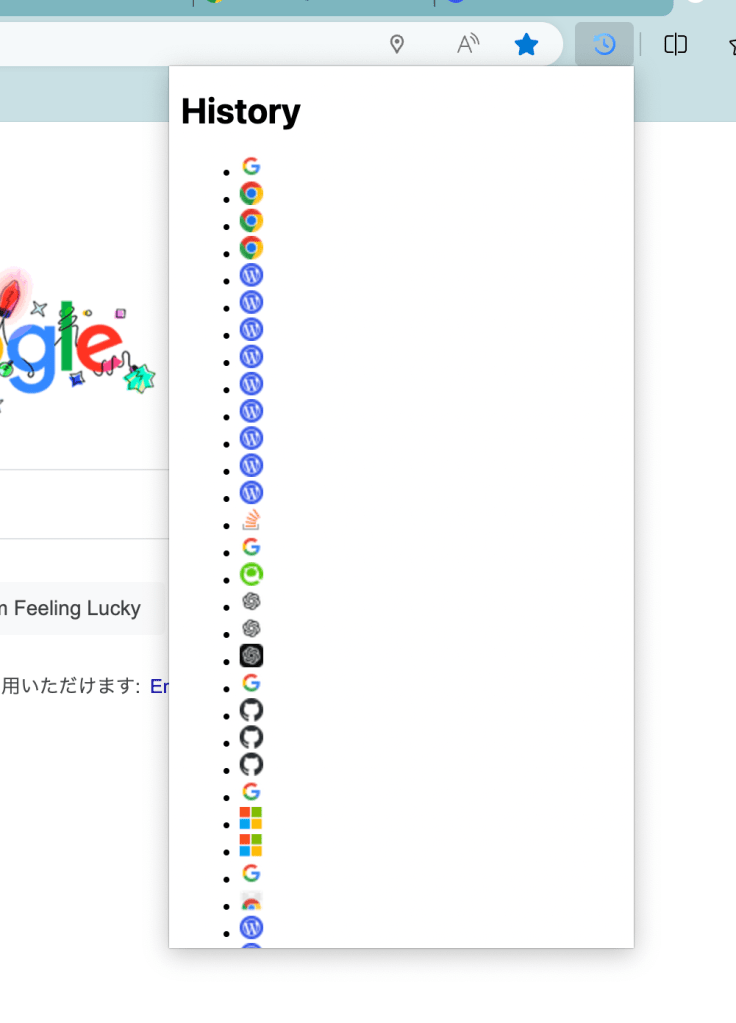
3. Display the Favicon List in the Extension Project
4. What is the Difference between using Chrome Extension API and using Google Favicon Server??
In this experiment, I found that both methods can retrieve favicons. So, what’s the difference? These are points I got in mind.
- Chrome Extension API
- It can only be used in Chrome Extensions built with Manifest V3.
- It only can get favicons that are saved in the browser cache. Once you clear the cache, you can’t get any favicons anymore.
- Google Favicon Server
- You can use it from any web browser.
- It does an external request to Google’s favicon cache database. And does it cause a performance issue?
For me, using Google Favicon Server sounds more better…!
 Journey of learning
Leave a comment