I’m going to develop exactly same popup dialog as Microsoft Edge “History” popup.
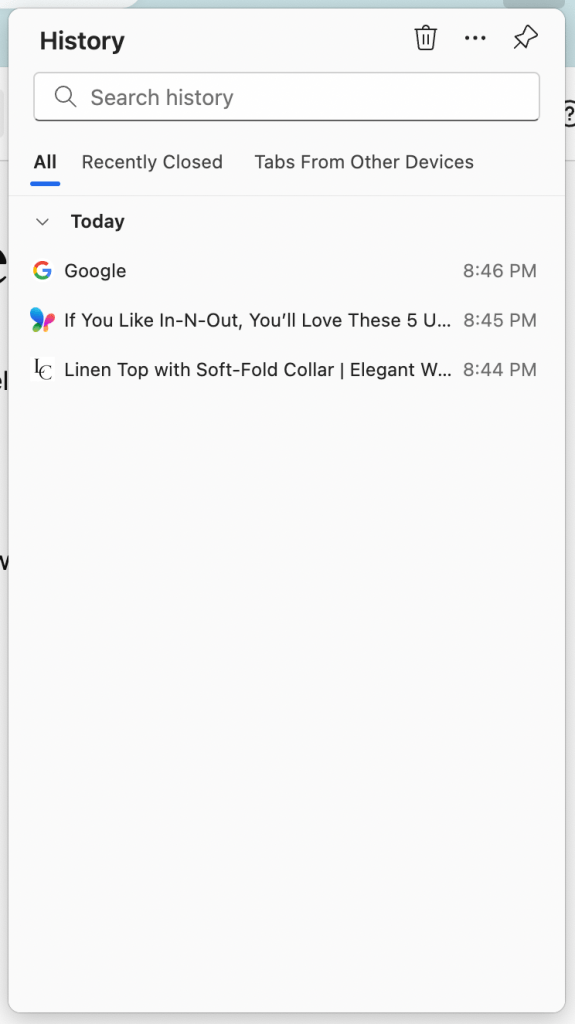
Today, I would like to organize the browsing list to display it nicely. That means
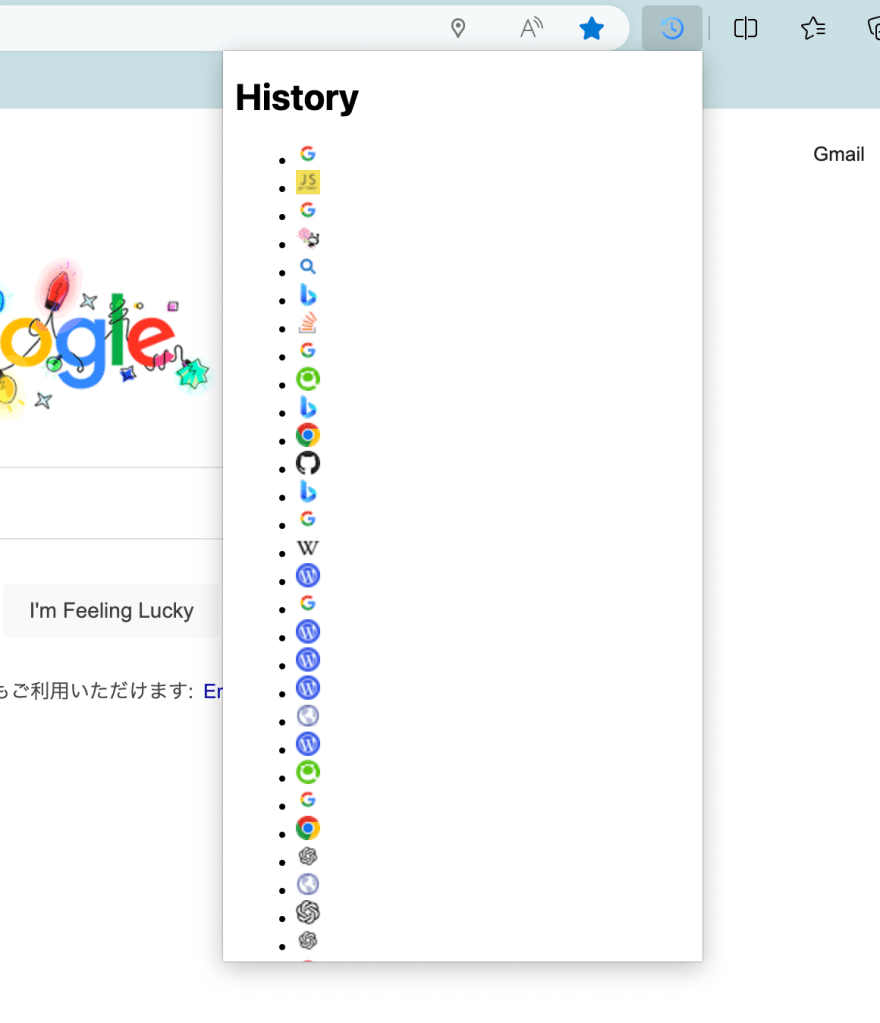
- Remove black dots on the list items (Use CSS for the first time for me!)
- Display icon and browsing history in one item
- Add margin to each element (Use CSS for the first time for me!)
- Adjust font size
This image below is the current popup dialog. I will improve it in this post.
1. Setup to use CSS file
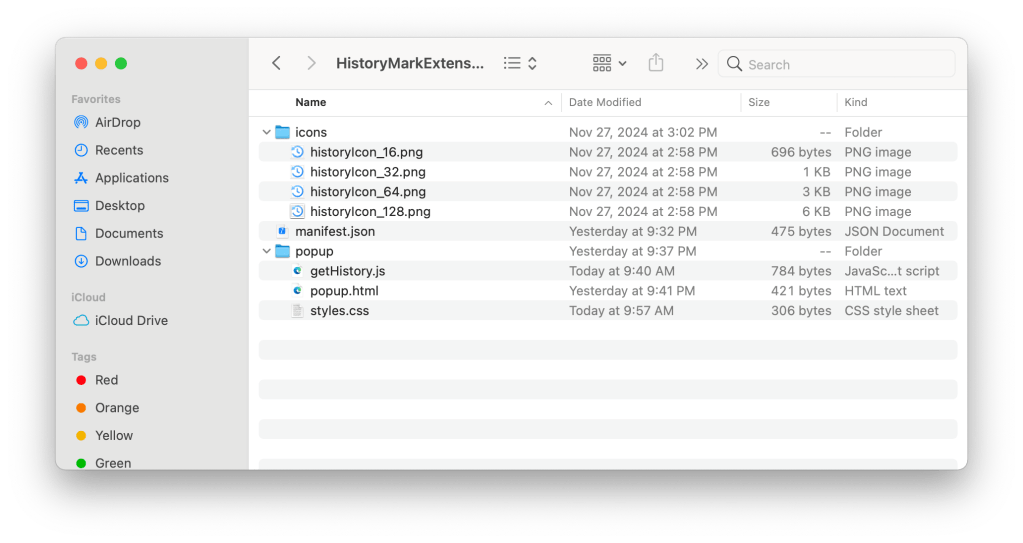
- First of all, I created the CSS file (styles.css) and save it into the Edge Extension project see the image below.
- Next, update the html file to link the CSS file.
I added the <link> tab to have link to the CSS file.
    <head>
        <meta charset="utf-8" />
        <style>
            body {
                width: 300px;
                height: 600px;
            }
        </style>
        <link rel="stylesheet" href="styles.css">
    </head>
2. Add Style for the List
Now it’s time to edit the CSS file!
I added one style in the CSS file for the list to remove black dot and add margin that is called “no-bullets” style.
.no-bullets {
    list-style: none;
    padding: 10px;
    margin: 0;
}
- Set “none” to list-style property, then the black dots are gone.
- Set “10px” to padding property, then the list item move 10px to left.
Then, let’s apply this style to my history list!
To use this style, add the “no-bullets” class to the <ul> list tag.
<ul id="history-list" class="no-bullets">
</ul>
3. Add Style for the Text
I created one more style for the text. I would like to display the browsing history in one line, truncated with ellipsis to be exactly same as the Edge History dialog…
.listText-style {
    padding: 5px;
    font-size: small;
    display: inline-block;
    width: calc(100% - 16px - 15px); /* total width - icon size - mergin */
    overflow: hidden;
    text-overflow: ellipsis;
    white-space: nowrap;
}
- Set “inline-block” to display property, then the text is set horizontally. There are two elements in one list item (icon and history title), and it needs to be displayed horizontally.
- Set value to width property, then the width can be fixed.
- Set “hidden” to overflow property, then the overflowed text will be cut off.
- Set “ellipsis” to text-overflow property, then the ellipsis (…) will be shown when the text width is longer than the block witdh.
- Set “nowrap” to white-space property, then the text will be displayed in one line always.
Then, apply this style to history title!
<span class="listText-style">${urlTitle}</span>`;
4. Test the updated popup dialog
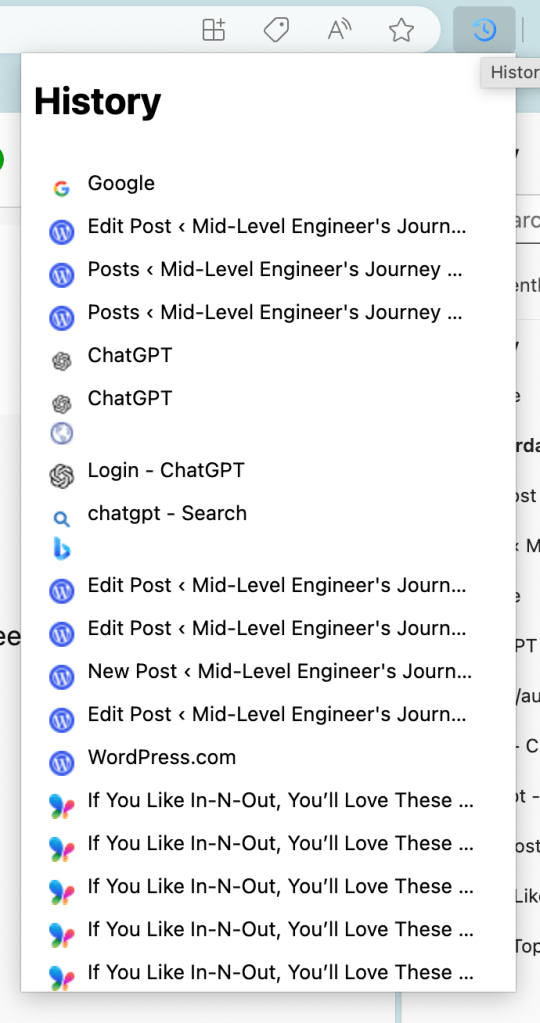
To test I reload the Edge extension in Extension management page, you can see the new popup dialog displayed nicely!!!
You can see the differences, there is no more black dots in each list item, there is ellipsis if it is too long. The font size is nice.
5. Complete Code
Here is the complete code set.
manifest.json
{
    "name": "HistoryMark",
    "version": "0.0.0.1",
    "manifest_version": 3,
    "description": "Mark the webpages and review them from history!",
    "icons": {
        "16": "icons/historyIcon_16.png",
        "32": "icons/historyIcon_32.png",
        "48": "icons/historyIcon_64.png",
        "128": "icons/historyIcon_128.png"
    },
    "action": {
        "default_popup": "popup/popup.html"
    },
    "permissions": [
        "history",
        "favicon"
    ]
}
popup.html
<pre class="wp-block-syntaxhighlighter-code"><!DOCTYPE html>
<html>
    <head>
        <meta charset="utf-8" />
        <style>
            body {
                width: 300px;
                height: 600px;
            }
        </style>
        <link rel="stylesheet" href="styles.css">
    </head>
    <body>
        <h1>History</h1>
        <ul id="history-list" class="no-bullets">
        </ul>
        <a href="http://getHistory.js">http://getHistory.js</a>
    </body>
</html></pre>
getHistory.js
function getFaviconURL(u) {
    const url = new URL(chrome.runtime.getURL('/_favicon/'));
    url.searchParams.set('pageUrl', u); // this encodes the URL as well
    url.searchParams.set('size', '16');
    return url.toString();
  }
const historyList = document.getElementById("history-list");
chrome.history.search({ text: '', maxResults: 50 }, (results) => {
    results.forEach(item => {
        const listItem = document.createElement("li");
        const faviconUrl = `https://www.google.com/s2/favicons?domain=${item.url}`;
        const urlTitle = item.title;
        listItem.innerHTML = `
            <img src="${faviconUrl}" alt="Favicon">
            <span class="listText-style">${urlTitle}</span>`;
        historyList.appendChild(listItem);
    });
});
styles.css
.no-bullets {
    list-style: none;
    padding: 10px;
    margin: 0;
}
.listText-style {
    padding: 5px;
    font-size: small;
    display: inline-block;
    width: calc(100% - 16px - 15px); /* total width - icon size - mergin */
    overflow: hidden;
    text-overflow: ellipsis;
    white-space: nowrap;
}
I need to have a repository….
See you!
 Journey of learning
Leave a comment