What is Side Panel?
A browser side panel is a vertical interface section, typically located on the right edge of a browser. It provides quick access to tools, extensions, or web content without disrupting the main browsing area.

Setp1. Edit your manifest.json file
To use the Side Panel API,
- Add “action” key
- Add “background” key
- Add “side_panel” key
- Add the
"sidePanel"permission
in the extension manifest file:
{
    "name": "My history panel",
    ...,

    "action": {
        "default_title": "Click to open panel"
    },
    "background": {
        "service_worker": "background.js"
    },
    "side_panel": {
        "default_path": "sidepanel/sidepanel.html"
    },
    "permissions": [
        "sidePanel"
    ]
}
Step2. Create a HTML file to show in the Side Panel
Create a HTML file and save it in the path that you specified in the manifest.json file. In this case the relative path is “sidepanel/sidepanel.html”.
<!DOCTYPE html>
<html lang="English">
    <head>
        <meta charset="utf-8" />
        <title>Sample</title>
    </head>
    <body>
        <h2>Sample</h2>
        <ul id="Sample-list">
        </ul>
    </body>
</html>
Step3. Create a background.js
Create a background.js file as a service worker JavaScript. And save it in the path that you specified in the manifest.json file. In this case the relative path is “background.js” (I saved it in the root directory of the extension project).
chrome.sidePanel
  .setPanelBehavior({ openPanelOnActionClick: true })
  .catch((error) => console.error(error));
Set the side panel behavior that click the extension icon to open the side panel.
openPanelOnActionClick is a Boolean property whether clicking the extension’s icon will toggle showing the extension’s entry in the side panel. Defaults to false.
Step4. Test the Extension!
Let’s load the extension in the Mange Extension page.
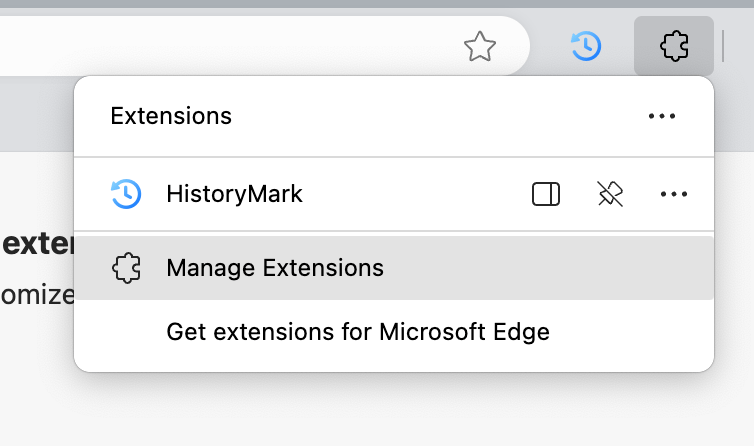
Once you load or reload the extension, click on the extension icon.
You will see the side panel you just developed!

An issue I saw
The background color of the side panel is always black in the
Microsoft EdgeVersion 131.0.2903.112 (Official build) (arm64) on Mac.
When I load this exact same extension into Chrome browser, the background color is set to white.
I will investigate it next!
 Journey of learning
Leave a comment