In this post, I would like to introduce two ways of saving the image on the same USB drive of Clonezilla live.
What is Clonezilla Live?
Clonezilla is a partition and disk imaging/cloning program.
Clonezilla Live: Clonezilla live allows you to use CD/DVD or USB flash drive to boot and run clonezilla
How to save the image on the same USB drive of Clonezilla Live – with One Partition?
This is the case you have one partition in the bootable Clonezilla USB flash drive. If you follow the instructions in the official Clonezilla page, you see there are several ways to install Clonezilla Live in USB flash drive. Some of them don’t request you to create two partitions in a USB flash drive. For example, MS Windows Method B: Rufus USB Creator.
Step by Step: Save disk image : Save 1st disk (sda) as an image on 2nd disk (sdb)
When you save disk image to the USB flash drive, the most important thing is to choose
- “Clonezilla live (VGA “800*600 & To RAM)” or
- “Clonezilla live (VGA with large font & To RAM)”.
in the boot menu.
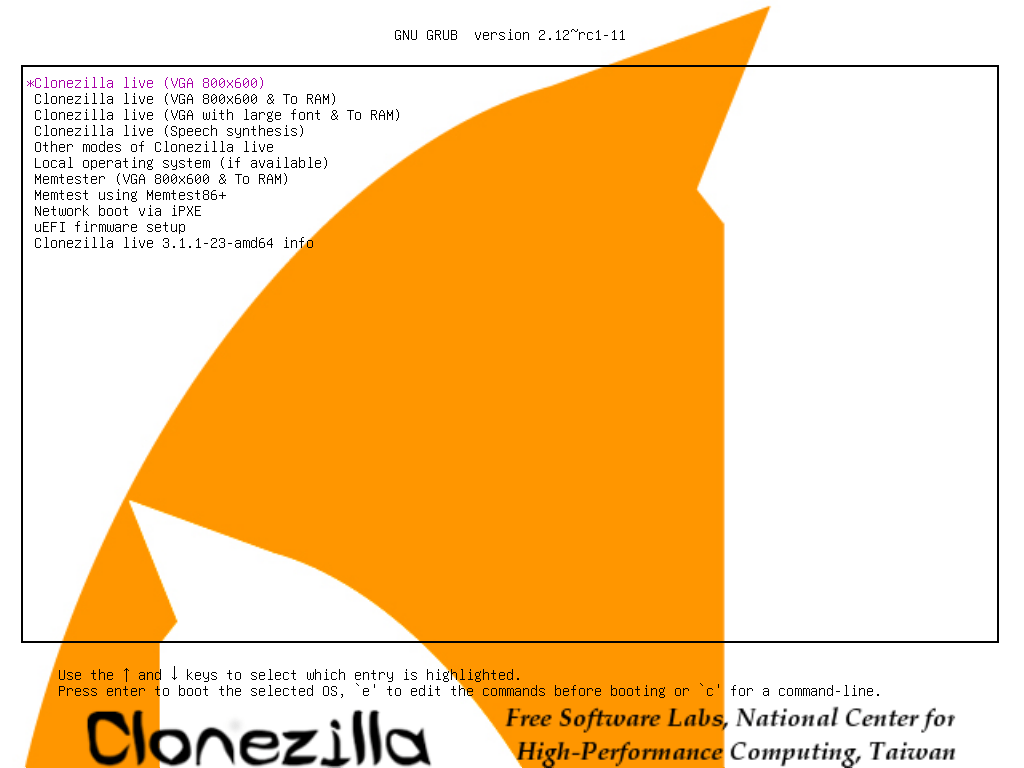
When you choose “To RAM”, Clonezilla will be loaded and run in the RAM, so the USB flash drive can be used as a normal storage drive.
If you don’t choose “To RAM” option, you can’t find the destination drive in the step of Select sdb1 as image repository, then choose “savedisk” option.

How to save the image on the same USB drive of Clonezilla Live – with Two Partitions?
This is the case you have two partitions in the bootable Clonezilla USB flash drive. One is for the Clonezilla Live image, another is for the storage. If you follow the instructions in the official Clonezilla page, you see the way to install Clonezilla Live in USB flash drive with using Method A: Manual.
Step by Step: Save disk image : Save 1st disk (sda) as an image on 2nd disk (sdb)
In this case you can choose whatever you want in the boot menu. No need to choose “To RAM”.
Please make sure that the destination partition must be equal or larger than the source one.
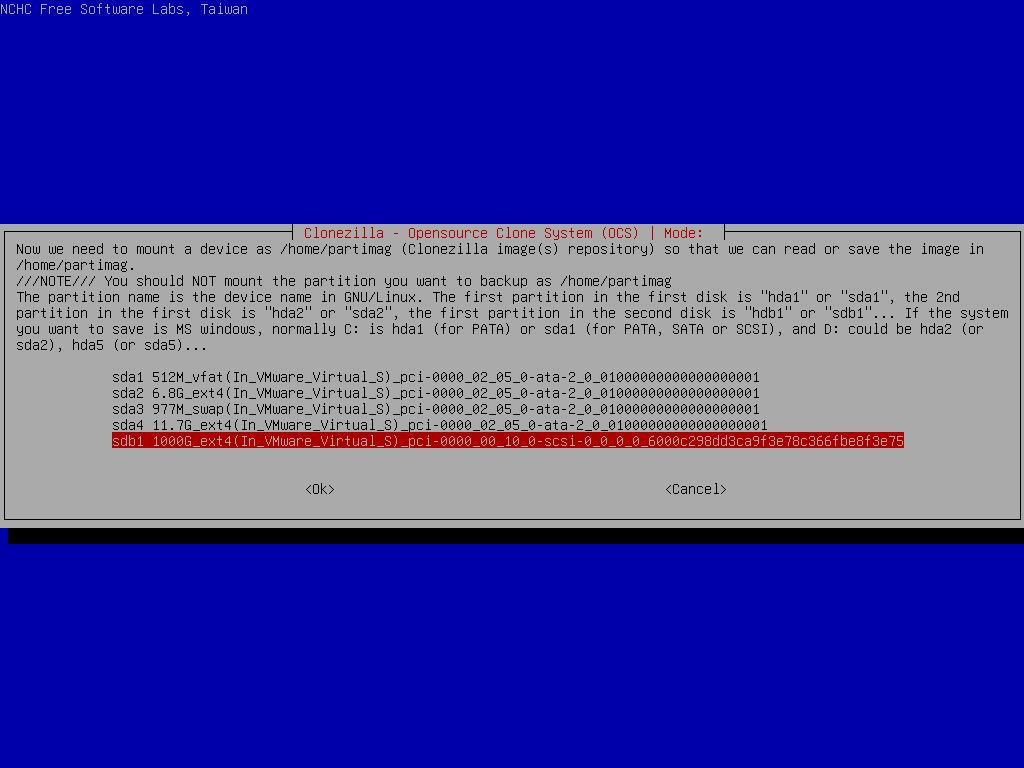
The second partition in the USB flash drive will be listed as a candidate for the Clonezilla image repository (destination drive to save the image).
 Journey of learning
Leave a comment